Session Log
The Session log is the history of the session: the Introduction, GM messages, discoveries, story and combat results.
- For everyone
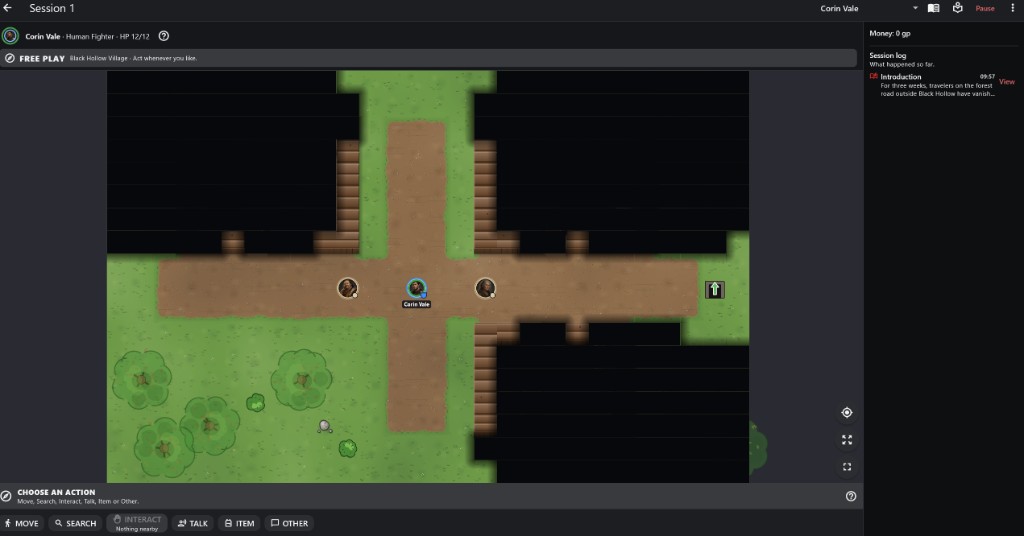
- 1Money The party's coins, updated as loot is shared.
- 2Session log Newest entries at the top, with their time.
- 3View Opens the whole entry.
How to use it
- It is on the right of the session screen, or behind the sidebar button on smaller screens. A badge counts unread messages.
- Messages show who they were for, such as Everyone or one player.
Step by step
- Open the log.
- Tap View beside a message to read it again in full.
Important rules
- Every message a player receives is kept in their log.
- Rereading with View opens the original; it never adds a new entry.
- Players only see entries meant for them.
Common questions
Do I need the log to know whose turn it is?
No. The status bar always shows what is happening now.